LabProton is offline-first laboratory information management software (LIMS) for independent diagnostic laboratories. This page describes what the current version does; your questions are welcome through the contact form.
Patients & Visits
Register each patient once and record every laboratory visit under the same record.
- Separate patient and visit records, so history stays together
- Age by years, months or days when the birthday is unknown; confirmed birthdays when known
- Fast patient search and a warning for possible duplicate patients
- Visit date and local time recorded with every visit
Test Ordering, Catalog & Profiles
Add single tests or whole profiles to a visit from your own laboratory catalog.
- Editable test catalog with units and reference ranges
- Test profiles to order common panels in one step
- Add or remove tests on a saved visit
- Conventional or SI units, chosen by your laboratory
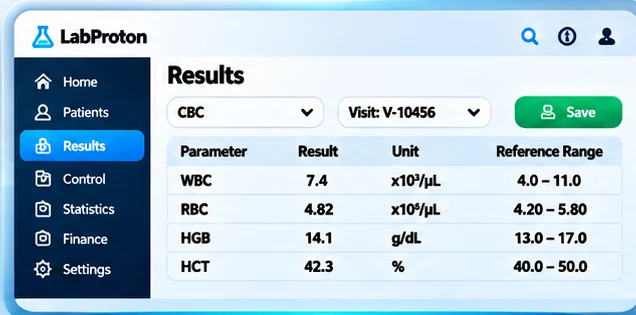
Results & Reference Ranges
Enter, review and verify results with reference ranges and clinical flags shown as you work.
- Save drafts first; verification is a separate, permission-controlled step
- Reference ranges and high/low flags beside each value
- Compare a patient’s earlier results
- Qualitative results, and external laboratory PDFs attached to a visit
- Verified results are locked; corrections are made through a controlled unlock
Specialized Tests
Tests that need more than one value open their own structured entry forms and report separately.
- Dedicated entry forms, for example for urine, stool and semen analysis
- Glucose tolerance (OGTT) curve
- Specialized tests printed as their own report sections
Reports & Printing
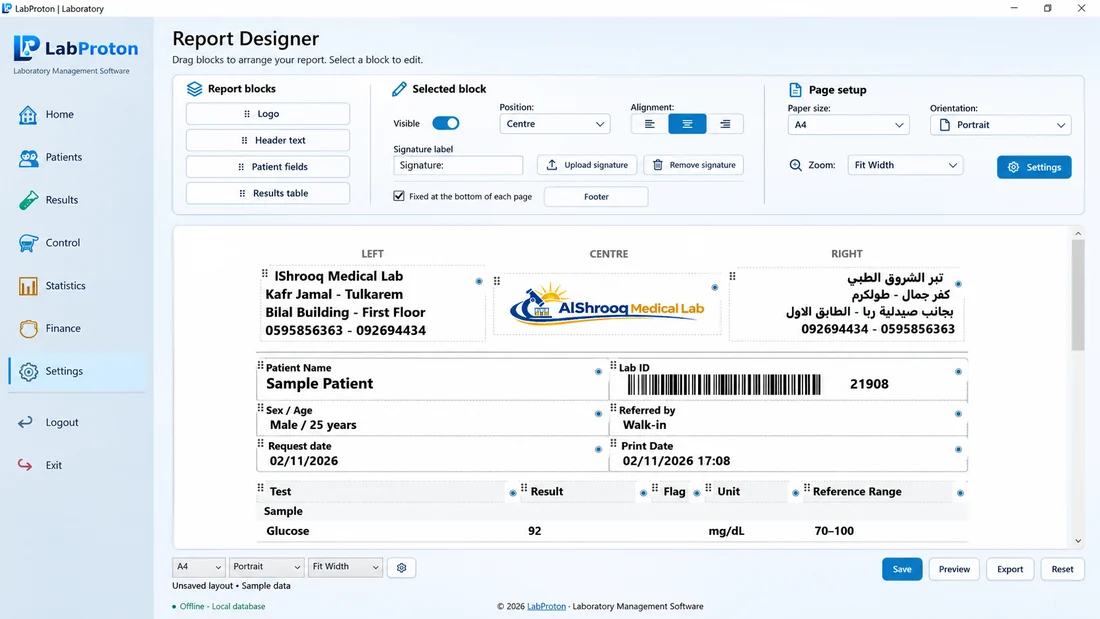
Professional patient reports with your laboratory’s own header, footer, logo and signature.
- Preview before printing and export to PDF
- Report designer for layout, paper size and margins
- Draft and amendment notices on reports when results change
- Invoices and receipts printed from the same system
Quality Control
Record control results and keep patient results safe when a control needs attention.
- Configure controls with multiple levels
- QC holds that stop affected patient results from being released
- QC history review, plus documented investigation and recovery
- A passing control never verifies patient results by itself
Finance & Payments
Bill every visit clearly, record payments and see what is collected and still due.
- Visit totals, payments, free visits and patient credit
- Invoices and receipts, with invoice editing in Finance
- Your laboratory’s default currency (ISO currencies), with totals never mixed across currencies
- Totals for billed, collected, patient due and patient credit, with filters
Barcodes, QR Codes & Labels
Label patients, visits and samples, and scan a code to open the right record.
- Patient QR codes, visit codes and sample codes
- A4 label sheets or label-roll printers
- Add or reprint sample labels at any time
Inventory & Statistics
Track reagents and supplies, and see how your laboratory is performing.
- Inventory batches, usage counting and stock status
- Statistics with filters and periods
- Patient statistics with selectable columns
- Money totals kept separate by currency
Users & Permissions
Every staff member signs in with their own account and sees only the actions their role allows.
- First administrator account created at setup
- Staff accounts with roles and permissions
- Personal passwords; staff should never share one account
Questions about Getting Started & Licensing in the Help Center →
Backup & Restore
Protect your laboratory data with verified backups you control.
- One-click and automatic backups
- Optional backup password with a recovery code (encrypted backups)
- Backups are checked after they are created
- A clear summary is shown before any restore
Questions about Backup, Settings & Tools in the Help Center →
Offline, Licensing & Updates
Daily laboratory work runs on your own computer, without depending on the internet.
- No internet needed for daily work
- Online or offline activation, and license transfer to a new computer
- Safe updates with an integrity check
Questions about Getting Started & Licensing in the Help Center →
Languages, Themes & In-App Help
A comfortable workspace for every member of your team.
- English, Arabic, Turkish, Spanish and French
- Themes and adjustable text size
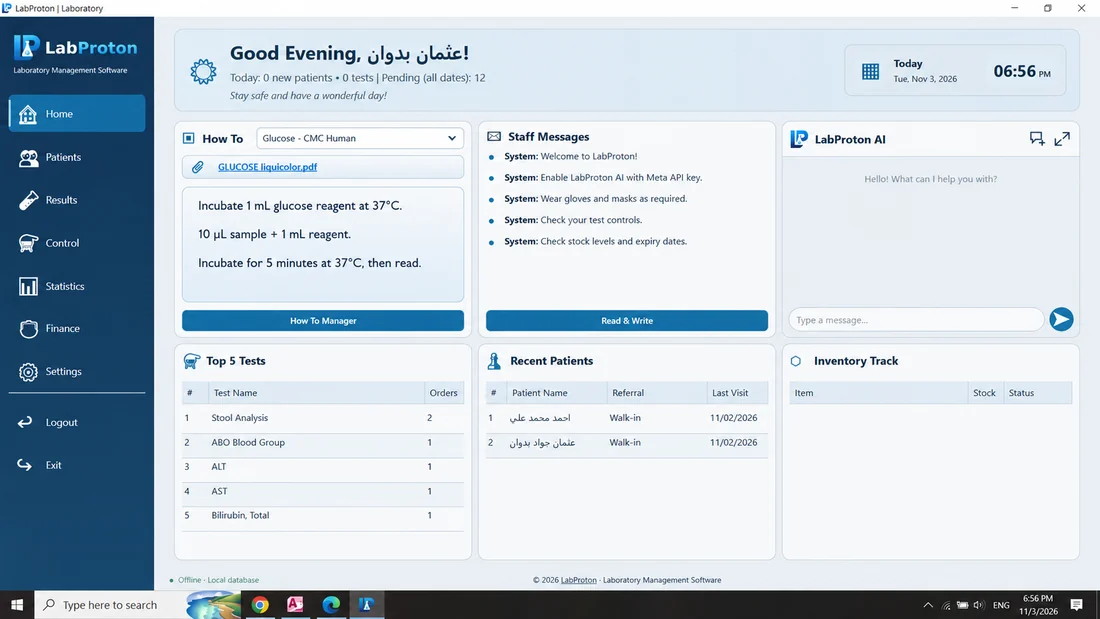
- Built-in Help with searchable questions and answers, How To notes, and a support message form
Questions about Getting Started & Licensing in the Help Center →
Ready to see it in your laboratory? One-time $299 lifetime license with free updates.