Laboratory Software Security: Access, Backups, and Audit Trails
Protect laboratory records through role-based access, secure devices, verified backups, meaningful audit logs, and response planning.

Laboratory software holds information people have a right to expect will remain private and accurate: identities, test orders, results, amendments, and sometimes payment records. A breach can expose sensitive data; an untraceable change can make a clinical record difficult to trust. Strong protection begins with ordinary habits that staff follow consistently.
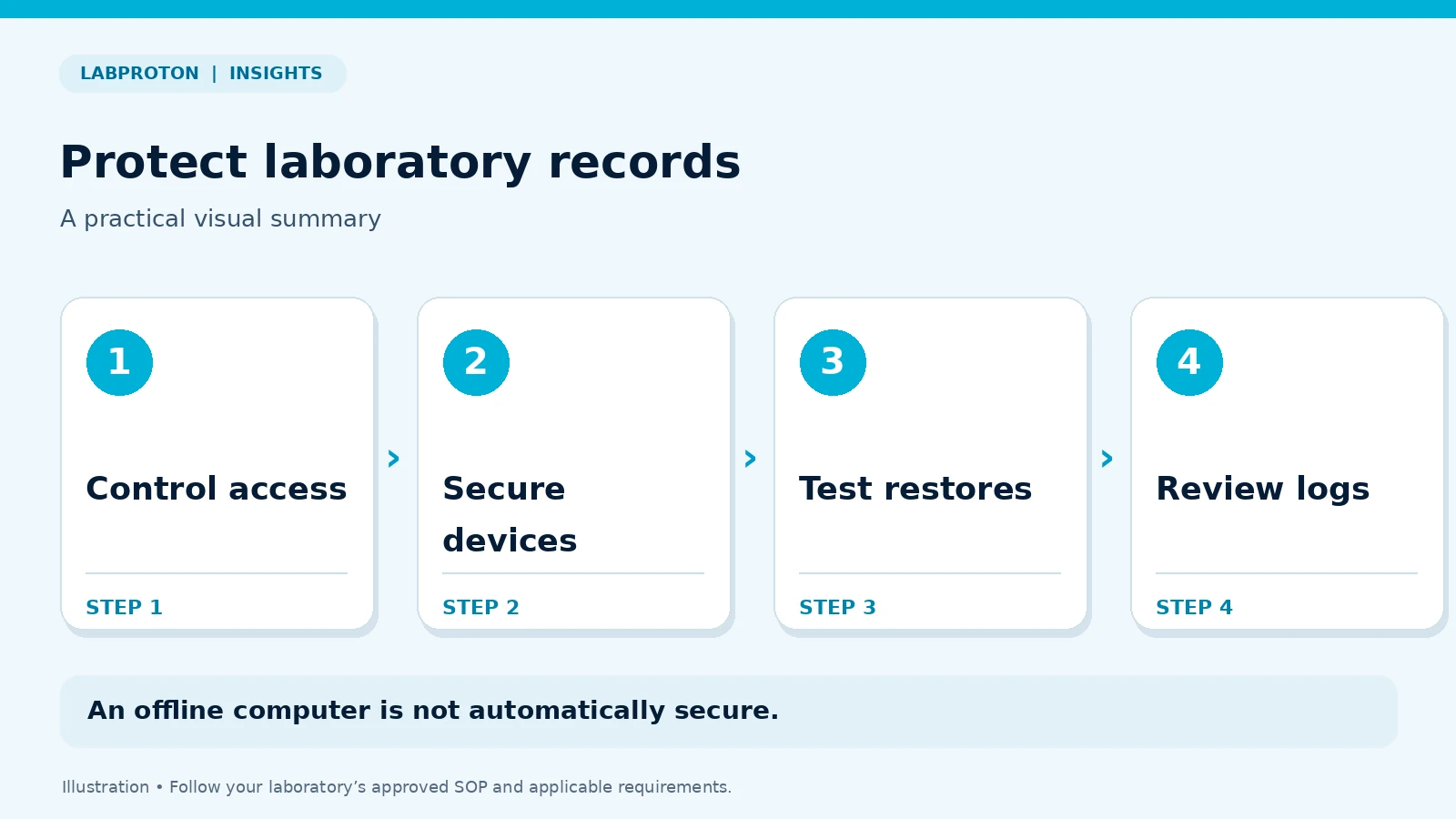
Security is not achieved by a single password or backup button. Think in layers: who can see information, who can change it, what happens when a computer fails, and how the laboratory can reconstruct important actions.
Give each person the access they need—and no more
Reception staff, bench scientists, supervisors, and system administrators have different responsibilities. Define roles around real duties rather than giving everyone full permission because it is convenient. Use individual accounts; shared logins make it difficult to determine who entered or amended information.
Remove access promptly when an employee leaves. Review permissions when roles change. Use strong authentication and additional controls where available and appropriate. Where an application does not support a desired safeguard, consider compensating operating-system, network, and physical controls rather than implying the feature exists. For systems that operate offline, consider how credentials are stored and how administrator access is protected without a permanent internet connection.
Protect the workstation as well as the application
A secure application on an unattended, unlocked computer is not secure in practice. Lock screens, control physical entry, restrict unnecessary software and removable media, and place displays away from public view. Keep supported operating systems and security software updated according to a documented plan.
Older systems may still run important laboratory equipment, but an operating system that no longer receives normal security updates carries additional risk. If legacy hardware must remain, use appropriate network isolation, restricted access, monitored transfer procedures, and a replacement plan. Software compatibility alone should not be mistaken for security assurance.
Treat backups as an operational safety measure
A backup is useful only if the laboratory can restore it. Choose a schedule based on how much data loss the organization can tolerate. Keep a separate protected copy, ideally including an offline or otherwise isolated version so a single ransomware event or hardware failure cannot destroy everything.
Record when backups ran and perform restore tests in a safe environment. A file existing on a USB drive is not proof that the database inside is complete and readable. Secure backup storage and disposal are part of patient privacy.
Record meaningful actions
An audit trail should let authorized reviewers identify who performed a relevant action, when it happened, and what changed. Depending on the system and policy, this may include creating or amending results, changes in patient identifiers, user permissions, report status, and critical configuration settings.
Protect the logs from casual alteration, use consistent timestamps, and define how long records are retained. Do not collect every possible click without a plan to review important events. Logs that no one can understand or search are less useful during an incident.
Build a response plan before something happens
If an employee notices suspicious access or missing records, there should be a clear reporting route. The first response may involve securing the workstation, preserving relevant logs, restricting access, and assessing whether any patient report was affected. Follow local data-breach, notification, and professional obligations; these vary by jurisdiction.
Avoid deleting suspicious files or 'cleaning up' the system before technical evidence is preserved. If patient safety may be affected, involve responsible clinical leadership as well as IT.
A 15-minute monthly security check
Verify that former employees have no active accounts, staff permissions still match their jobs, backup jobs have completed, restore tests are being performed on the laboratory's planned schedule, and unresolved security alerts have owners. Check whether any devices have unsupported operating systems or unapproved software.
The best security program is not the one with the most complicated policy. It is the one that protects people and records even during a busy laboratory shift.
Example: a shared account that hides a report change
Imagine two technicians use the same login on a reporting computer. An authorized supervisor later discovers that a result was edited after initial entry. The application may show the account name and time, but it cannot reveal which of the two people made the change. That makes a clinical and administrative investigation harder, even if the edit was innocent.
Individual user accounts are the first step toward traceability. Roles should then restrict who can amend approved results, and the system should preserve a meaningful history of changes. Regular log review can reveal unexpected activity. For a small laboratory with offline computers, local physical security and protected backups remain important because data are not automatically safe merely because they are not stored in the cloud.
Avoid: shared administrator passwords, backups kept only beside the primary computer, unsupported operating systems without compensating controls, or a backup procedure that has never been tested. Security depends on the whole environment.
Common questions
Is an offline computer automatically secure?
No. Malware can arrive through removable media, software updates, or local networks; physical access also matters. Offline status changes the threat model but does not eliminate risk.
What proves a backup actually works?
A documented test restore that opens the restored data and confirms representative records and settings. A successful file copy or backup notification does not prove that recovery will succeed.
Reference leads
ISO 15189:2022 information management; applicable health-data privacy laws; recognized cybersecurity guidance such as NIST and vendor security recommendations.
Why Offline-First Laboratory Software Can Matter
Explore how offline-first lab software supports work during internet outages—and the backup, security, and recovery duties it brings.
Read article →
Choosing Reliable Lab Computers, Scanners, and Backups
Choose dependable laboratory computers, barcode scanners, printers, UPS equipment, and testable backup and restore procedures.
Read article →
How to Reduce Avoidable Specimen Rejections
Reduce avoidable specimen rejections with clear acceptance criteria, consistent rejection-rate tracking, and targeted collection improvements.
Read article →